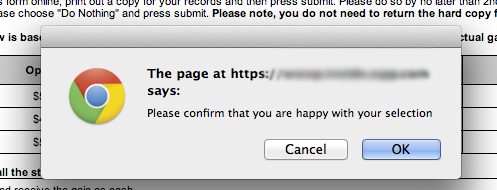
For some inexplicable reason, I thought this confirmation CTA was laugh-out-loud funny. I kept looking for the “I’m happy” button, but had to settle for the “OK” button instead.
Update May 6, 2014: Pharrell Williams, “Happy” Video

Small things add up
For some inexplicable reason, I thought this confirmation CTA was laugh-out-loud funny. I kept looking for the “I’m happy” button, but had to settle for the “OK” button instead.
Update May 6, 2014: Pharrell Williams, “Happy” Video
From Dustin Curtis, a UX designer and writer who owns the publishing platform Svbtle. In a blog post on Friday, Curtis cited several sources saying Facebook found that testers of the redesigned News Feed were spending less time in user profiles and event pages. “The new News Feed was performing too well,” says Curtis. “This change in user behavior led to fewer advertisement impressions, which led, ultimately, to less revenue.”
Read on at theverge.com
[Fair warning. I’m writing about the UI design of airplane cockpits in the midst of a mystifying airplane disaster that has consumed the planet for nearly 4 weeks, Malaysia Flight 370. Which made me start reading about previous air disasters, which led me to Air France 447.]
Prior to the MF370 incident I read (on vacation), “The Unthinkable: Who Survives When Disaster Strikes – And Why” by Amanda Ripley. It’s a fascinating look at how our brains are wired (or not wired) to react when disaster strikes, be it natural or man-made. Basically, most people think they’re going to act and behave a certain way, but don’t, which results in living or dying. Ripley examines, via survivor stories and research, that for every super power our brain gives us during a stressful situation (example: super human strength), the brain also takes something away, such as our vision or hearing. Also, seemingly simple motor tasks may become too complex to achieve, like putting on a life jacket, unbuckling a seat belt, opening a door, revealing why muscle memory can be the key to survival. In a nutshell, areas that control certain aspects of our brain under normal situations are minimized while other aspects become more dominant.
In her book Ripley describes an aviation accident in which, during routine landing approach, the landing gear indicator light failed to illuminate. The crew remained airborne while they worked to trouble shoot the incident, unaware that they were still descending, despite the fact that the audio warnings were going off in the cockpit. Ultimately the flight crashed, and it was determined that the crew was so fixated on the indicator light (which turned out to be a burned out bulb), that they didn’t hear the warnings. This is just one example of how our cognitive systems react to extreme situations. Under a normal scenario, the crew would have heard and reacted appropriately to the alarms, but the increased stress and narrowed focus obviously affected what the crew heard and saw.
Air France 447
On May 31, 2009, Air France 447 (an Airbus A330), en route to Paris, France, crashed into the Atlantic Ocean. The BEA’s (Bureau d’Enquetes et d’Analyses – French air accident investigation agency) final report concluded the aircraft crashed after temporary inconsistencies in the airspeed sensors caused the crew to react incorrectly, leading to an aerodynamic stall from which they could not recover in time.
Whether it was pilot inexperience and/or lack of familiarity with the controls and inputs, the PF (pilot flying – total flight crew of 3) kept pulling the stick back, which ultimately caused the Airbus A330 climb to unrecoverable stall. Without overwhelming you with details regarding angle of attack, lift coefficient, pitch inputs, and etc., the plane entered an electromagnetic thunderstorm which disengaged the autopilot, to which the pilot flying (PF) reacted by pulling the stick back. Despite 75+ repeated audio stall alerts, the flight crew was unable to comprehend what was happening to the aircraft. Even if one pilot was unable to understand what was going wrong, how is it that his two colleagues failed to notice the issue (PF pulling back on the stick)? Possibly contributing to the crew’s confusion and panic were several major factors:
Side sticks
The A330 is controlled by side sticks that, as the label implies, are located beside the pilots’ seats. They resemble joysticks from video game consoles. The side sticks aren’t connected to the control surfaces by levers and pulleys as in older aircraft, but instead side stick commands are fed to computers that send signals to the engines and hydraulics. Often called “fly-by-wire” technology, it has advantages in reduced weight, therefore saving fuel, they have fewer moving parts, have backup systems, and are programmed to compensate for human error. The sticks also enable pilots to concentrate on other aspects of flying because once a command is given, the pilot can release the stick after a few seconds.
However, because the stick is at the side of the pilots seats and not in front of the pilots like the traditional control yoke, one pilot may not be able to see what the other pilot is doing, unless that pilot makes a big effort to look across the other side of the flight deck, which is not easy or convenient, especially in a tense situation when other inputs require attention. Additionally, side sticks do not reflect what command one stick might be receiving. Recall how a traditional control yoke situated in front of the pilot: when one yoke is pulled forward or backward, the other yoke will move in tandem, indicating what the PF is doing. Another aspect of the side stick is that if both pilots move their respective control sticks, the inputs are averaged.
Glass Cockpit
The A330 also features a “glass cockpit” (as does current Boeing designs). A glass cockpit features digital instrument displays, typically large LCD screens instead of traditional analog dials and gauges. While the traditional cockpit (aka “steam cockpit”) relies on mechanical gauges to display information, the glass cockpit displays are driven by flight management systems which can be adjusted to display flight information as necessary. Ultimately this simplifies aircraft navigation and operation. Glass cockpits are popular with airline companies because they tend to eliminate the need for a flight engineer ($$$$ saver).
However, with the dependency on the glass cockpit systems, comes the need to train crews to deal with glass cockpit blackouts and failures. On 25 January 2008 United Airlines Flight 731 experienced a serious glass-cockpit blackout, losing half of the ECAM displays as well as all radios, transponders, TCAS, and attitude indicators. Partially due to good weather and daylight conditions, the pilots were able to land successfully at Newark Airport without radio contact.
In 2010, the NTSB published a study done on 8,000 general aviation light aircraft. The study found that, although aircraft equipped with glass cockpits had a lower overall accident rate, they also had a larger chance of being involved in a fatal accident. The NTSB Chairman said in response to the study:
Training is clearly one of the key components to reducing the accident rate of light planes equipped with glass cockpits, and this study clearly demonstrates the life and death importance of appropriate training on these complex systems… While the technological innovations and flight management tools that glass cockpit equipped airplanes bring to the general aviation community should reduce the number of fatal accidents, we have not—unfortunately—seen that happen.
Auto-thrust
Airbus computers can automatically adjust the engine thrust to maintain whatever speed is selected by the crew. This means pilots do not need to keep fine-tuning the throttles on the cockpit’s centre console to control the power. But a curious feature of Airbus “auto-thrust” is that it bypasses the manual levers entirely – they simply do not move. This means pilots cannot sense the power setting by touching or glancing at the throttle levers. Instead, they have to check their computer screens. According to Boeing, some airline pilots do not like the absence of motion in the flight deck, which is why Boeing’s system the manual handles move even when the system is in automatic mode.
It has been debated that if AF 447 had been a Boeing aircraft the pilot would have realized the PF had the stick pulled back, as Boeing cockpits are still designed with center column steering. Boeing has also persisted with some conventional controls in it’s fly-by-wire aircraft, even the 787. Boeing cockpits still require levers that have to be pushed and turned like older mechanical versions, despite the fact that the levers send impulses to computers. The controls still have to be held in place or a maneuver to be accomplished. Some pilots think the Boeing approach overly conservative, and it makes it difficult to transition from one type of flying to another. Despite the fact that hand-flying is not as common because of automation for fatigue reduction and reliability, there is something to be said for visual and haptic feedback, particularly in a scenario when not all senses are functioning normally and inputs are under duress. Not to mention having critical displays visible at all time.
In regards to flight AF447, BEA director Jean-Paul Troadec and his team pointed at human-machine interface issues that made the situation extremely confusing for the crew at the controls of the plane. Ultimately, safety comes from both the pilots’ cognitive abilities and the signals they receive, Troadec concluded. He also stated, in response to the audio stall warnings being ignored, “it could have been a matter of sheer perception…Audio alarms are no longer heard in some situations.” This has prompted the BEA to recommend the addition of a visual stall warning. The BEA report recommended more training for dealing with unexpected situations as well.
Article sources/inspiration:
A Startingly Simple Theory About the Missing Malaysia Airlines Jet
Wikipedia: Air France Flight 447
Final AF447 Report Suggests Pilot Slavishly Followed Flight Director Pitch-Up Commands
Air France Flight 447: ‘Damn it, we’re going to crash’
Check out these nine websites from the early to mid-1990’s brought to you by CNN Money.
My husband and I recently attended a wedding in Phoenix, Arizona, and then continued on to Los Cabos, Mexico for a week of sunshine. The travel gave me a unique opportunity to experience multiple TSA screenings. Not that I was intentionally observing, but what else are you going to do if you’re me?
You’d think that the procedure would be identical across the board. ID and boarding pass out, shoes off, belts off, jackets off, pockets emptied, pull out all liquids, gels, creams, lotions in the-way-too-small, clear plastic, quart-sized bag. Not exactly.
Seattle:
Before allowed to get into the X-ray screening line, boarding passes are reviewed by a TSA agent acting as the line gate-keeper. What they’re looking for, I don’t know. Once it’s your turn, the entire travel party, in this case myself and my husband, can approach the desk where a different TSA agent is waiting for you. This agent first looks at our IDs, and in our case, shined what looked like a black-light flashlight on each passport to ensure it wasn’t a forgery. Then stuff is scribbled on our boarding passes, initialed, and off we went to X-ray screening. Please remove belt, shoes, jacket, empty pockets, pull out all liquids, gels, creams, lotions (3oz or less) in the (way-too-small) clear plastic, quart-sized bag. My husband was pulled aside because he was carrying a small leatherman-esque tool that was supposedly TSA compliant. Tool was approved, blunt plier tips and all.
Because we live in and therefore fly out of Seattle, this security process is our mental model. We’re ready for it. We dress for it, pack for it. We expect it, we anticipate it.
Phoenix:
Before being allowed to get into the X-ray screening line, our boarding passes were reviewed by a TSA agent. (While I wanted to ask the agent what he’s looking for, I’m was a chicken shit because I didn’t want to get put on the Do Not Fly list.) IDs and boarding passes are looked at by different agent where they are authenticated and initialed. Off to the screening portion of the process. And my first mental model first breakdown. We don’t have to remove our shoes or belts. Wah? My husband has already removed his belt in preparation for loading up the plastic bin. I felt kinda like a newbie flyer because we appeared to be the only ones not expecting this non-procedure we were so accustomed to. Husband’s leatherman-esque tool: personally scrutinized but approved. You may pass.
Cabo San Lucas:
Apparently, no matter where you go, someone has to make sure you have a boarding pass before you get to the X-ray screening line. (Maybe that’s what they’re looking for. Do you have a valid seat on a plane.) Then you drink your water, soda, tequila, or whatever prior to going through screening. While this is the same in all airports, it’s a big deal in Mexico because it’s so hot, and almost everyone is drinking something. I watched two people dump water from plastic bottles into a garbage can, but they kept their plastic bottles. A new form of recycling perhaps? Bring it home with you? Or did they think there were no bottles on the other side of screening? But I digress.
X-ray screening began as expected: remove your shoes and belt, empty your pockets. No need to remove your jacket – it’s Mexico. My husband’s pocket tool however, got confiscated. Newly acquired mental model regarding this device being personally scrutinized at X-ray screening, totally busted. We kept asking why? It had no knife, saw, screwdriver and it wasn’t the actual Leatherman that TSA doesn’t allow. (We’re talking a 2″ folding tool here). They kept repeating and gesturing, “you could do this” with a scissor motion and pointing to a picture of the not allowed Leatherman tool on a posted print-out of all the not allowed items. (As if my husband is going to plier and nail file his way through the cockpit door.) We asked why USA TSA allowed it, but not MX TSA? Shoulder shrug. We asked if we could take a photo of the print-out of the not allowed items. Nope, not allowed. Apparently everyone has forgotten about MacGyver, because one could do more damage with a ball-point pen.
San Diego:
Prior to the screening line, there are TWO pre-checks. Apparently, some folks have a pre-check on their boarding passes (whatever that means), which means they go to the left line. Others, like myself and my husband, go to the right line. (Not that it made a difference because I overheard that they still had to get their IDs and boarding passes approved.) Mental model deviation: in San Diego, only one person at a time may approach the TSA agent with her ID and boarding pass. It is not fun to be remonstrated by a TSA agent when you accidentally both approach him. How are we supposed to know? Our model so far is: we can approach together. Don’t point out the discrepancy to the TSA agent. He doesn’t like it.
After going through the ID/boarding pass approval step (one at a time), the same approving TSA agent reminded us to remove our shoes, belt, jackets, empty pockets, pull out all liquids, gels, creams, lotions in the (way-too-small) clear plastic, quart-sized bag. But then the TSA agent actually managing the X-ray line tells us to keep our shoes on, our belts on, and we don’t have to pull out all liquids, gels, creams, lotions in the-way-too-small, clear plastic, quart-sized bag. Mental model, blown. BTW, these two agents are in ear shot of one another.
After all these different scenarios, I have two questions.
Question 1: Why the discrepancies between three different USA airports? (Mexico, you just go with it)
Question 2: Can we at least keep our shoes and belts on in Seattle?
I love it when coworkers share websites or apps with me because of either great or horrible experiences. I love it when they proclaim, out loud, “WTF?” It’s the siren song for a UX person in an interactive agency. It’s also an affirmation because their reactions tell me I’m not the only one that notices kooky or poorly designed experiences that make a website difficult to use.
Case in point, Microsoft Surface website. Specifically, the product pages. At first glance, there is a fairly innocuous navigation panel on the right-side of the screen. A common website navigation element, the menu is a list of links that anchor or “jump” the visitor to a corresponding section of the page.
Location, location, location
The first thing that caught my attention was the location of the navigation panel itself in relation to the page. I generally encounter this type of navigation on the left side of a web page. My working assumption is that the navigation panel was placed on the right side in order to replicate, to some extent, the Charms bar in Windows 8 in order to familiarize potential customers with Windows 8/8.1 OS features. (For those unfamiliar with the Charms bar, it contains search, access to settings and contextual app menus. And it appears from the right side of the OS when activated by a swipe or click on the right.)

Granted, I don’t have to use the navigation panel menu items to access the information on the page. I can scroll up and down. But like any good navigation labeling, the labels give me clues into the section contents and the information. Not too mention, it’s faster to use the menu if I want to skip around. Also, the panel location in relation to content (and vice versa) changes depending on the width of my browser window because it’s a responsive site. Which means that my mom is not going to know she can expand the width of her browser window to see the information or access the calls to action, and will call me to complain.

Label System
The first item at the top of the navigation is a single house icon with no descriptive label. I’m assuming that since it’s a house, it means “Home.” But which “Home?” Surface.com? Microsoft.com? Additionally, both the “House” icon and the first link in the navigation, “Surface Pro 2” go to the same anchor at the top of the page. So, the Home icon is unnecessary if there’s a better link to do the job and the use of the Home icon is misleading. The visitor isn’t going Home, they’re going to the top of the page.

Not to get too nit-picky, but whatever.
The label system is inconsistent. I prefer navigation labels on any site or app be similar, such as all descriptive or all actionable. The navigation across all three product pages is a combination of descriptive labels and actions.
Additionally there are two different navigation labels for buying the product, “Buy Now” and “Get it now,” even though all the buy buttons on the page are labeled “Buy Now.” Sure, it’s a minor discrepancy, but like paper cuts, they add up to one big painful experience.
Obscuring Content and Calls to Action
Moving into the page itself, using the nav menu, it becomes clear that the placement is not ideal. In fact, it’s questionable. The panel partially covers written content, details and primary imagery placed on the right side of the page, as well as the almighty “Buy now” buttons. Responsive or not, information on the screen is there for a reason and if it’s not accessible, then what’s the point?
I can’t believe that someone didn’t say, “woah, hang on” before the site went live. This is after all, the flagship website for Surface products. Every word and image of the product on the page is critical to influencing potential customers and selling the product.

And it isn’t just one instance of the navigation covering critical information and CTAs (calls-to-action) on the Surface Pro 2 product page, all three of the product pages suffer from this debilitation.
For example, “New Kickstand” is hidden by the navigation panel. In order for the visitor to see it, she has to move her mouse out of the panel in order to close the panel (or expand the browser, if she’s savvy enough). If she wants to continue using the panel to navigate the page, she has to position her mouse back over the closed panel to open it, then click on the next menu item she wants to see. A lot of unnecessary actions and movements.

Additional Content
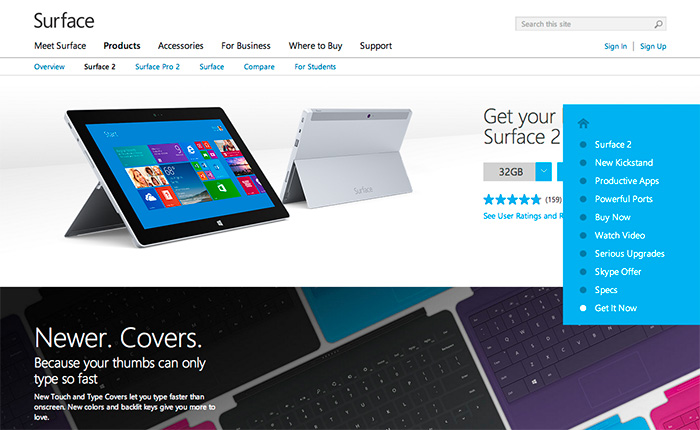
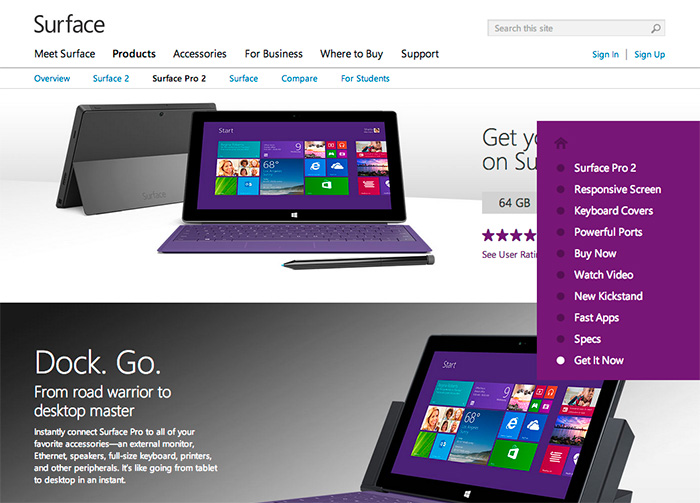
Each product page has a content section not included and therefore not accessible via the navigation panel. For example, in the screenshot below for Surface 2, the section about the new touch and type covers is not in the navigation menu. In the screenshot for Surface 2 Pro, the section for the docking station is not evident in the menu either.
This “approach” is implemented across all three product sites. As mentioned previously, since visitors will often look for keywords or phrases in navigation to determine if what they’re looking is on the page or in a section (aka “information scent“), why are these sections not included? Yet, there are two different ways to get to the top of the page and two different versions of Buy Now? I’m at a loss.
E-commerce
From a make-it-super-easy-to-purchase-the-product-and-feel-confident-about-it perspective, two no-no’s that would bring Amazon.com’s KPI’s to their knees: Obscuring price and ability to purchase. In the screenshot below the price for the Surface Pro 2 is obscured by the navigation panel in the “Buy Now” section of the page, and in the second screenshot “Get It Now” is also hidden by the panel. These, in addition to the differently labeled Buy Now CTA’s mentioned in the above Navigation section.

So what does it say about Surface when information is obstructed by navigation and by a potentially poor implementation of responsive design intended to help the customer learn about their product offering?
Putting on my black hat here, this is not how you design an e-commerce experience and expect to sell product. Nor is this the best example of an responsive, information-based website intended to generate interest, shift perception, and be accessible.
The coworker that sits next to me turned to me the other day and said, “Where’s the scroll bar?”
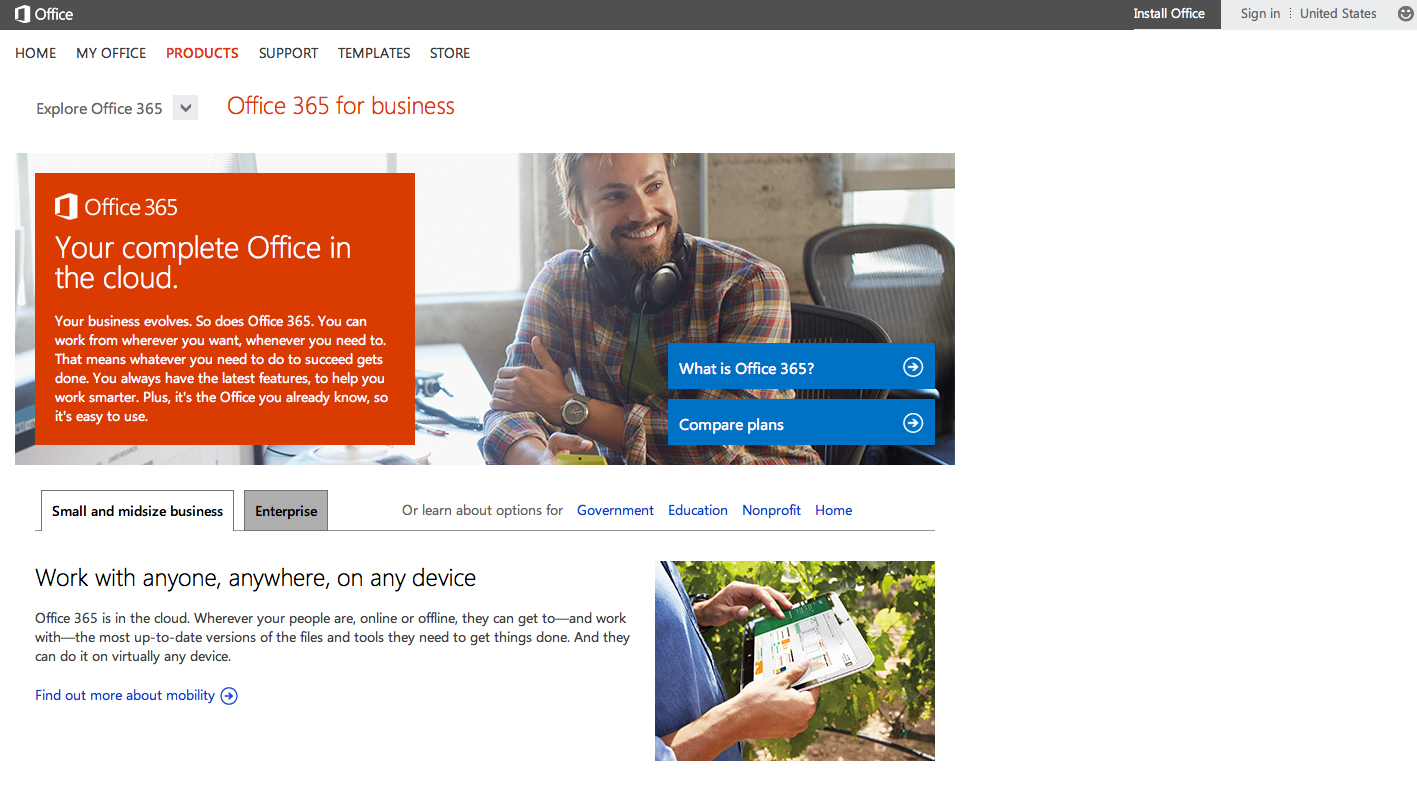
When I looked over at her screen, it was in fact apparent that scroll bar was not visible. She was uncertain how to scroll down the page without being able to click and hold the scroll bar. When we reduced the width of the page, the scroll bar did appear. To her dismay, it was white with a small outline. Not exactly an easy target. 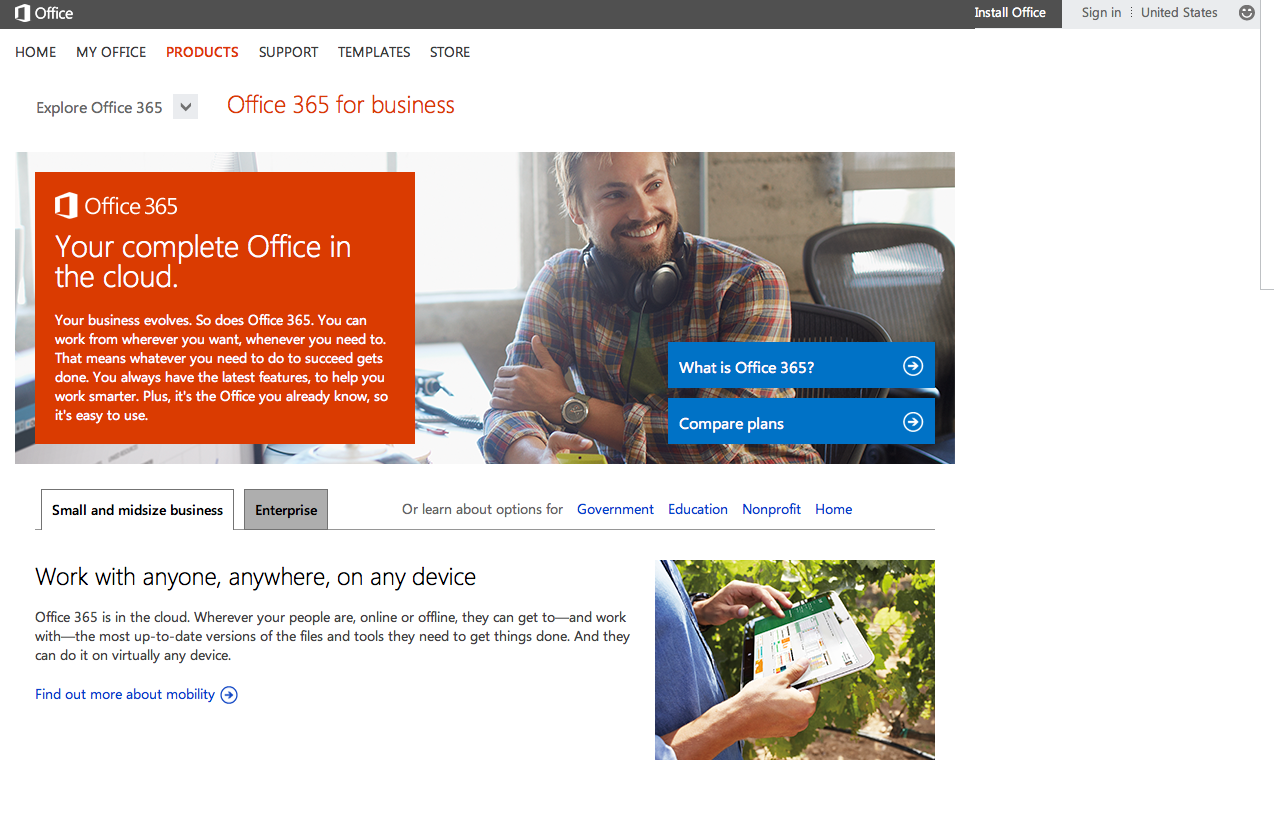
I’ve noticed the absence of the scroll bar when I work exclusively on my laptop (as opposed to connecting to a larger monitor), and find it particularly annoying to navigate any application or website if I don’t have my Magic Mouse with me. I don’t know if it’s a trend or the nature of applications on a newer OS, but in my (humble UX) opinion, it’s an irritating feature. And for those people like my coworker, it creates confusion and interrupts their ability to accomplish their tasks and goals.
One of the most common myths about website usability is that people don’t scroll. This often leads to the dreaded “fold” debate. Duh, people scroll. It’s natural. We’ve been scrolling for decades. Even more so with tablets and smartphones these days (aka “swiping”). But hiding the scroll bar doesn’t mean that people will know it’s still possible to do so.
I’m currently working on a purchase flow for a service-based product. In other words, there’s no shipping involved. In doing some research and reviews on an acceptable way to set expectations for how taxes are calculated, I stumbled across a great resource produced by Baymard Institute. They’ve created several usability reports, one of which is dedicated to the Checkout Usability in which Baymard has evaluated 100 retail websites on a set of usability guidelines. Ultimately each site is scored across 6 individual components: Flow, Focus, Data Input, Copywriting, Layout, and Navigation, and then ranked from 1-100. While you need to purchase the report in order to see the positive and negative critiques, the site does allow you to view the benchmark results, as well as filter the sites in several categories. It’s awesome if you need to view multiple examples of shopping carts and checkout flows quickly and without having to go through the flows on 100 retail sites.
I was asked the other day for a brief POV on “the fold.” I know, cringeworthy.
The Fold
The concept of content being placed “above the fold” is a carry over from long-established newspaper principles. Traditionally, anything on the front page and above the fold would be seen by a prospective customer. So, in order to sell more papers, newspapers put their top stories on the front page and “above the fold.”
Early Internet Use
Fast forward to the dawn of the masses starting to use Internet. At that time, the only mental model for presenting and consuming information was based on print: newspapers, magazines, brochures. Most monitors were a standard size and resolution, 800×600, and scrolling a page was unfamiliar to approximately 80% of people. It seemed logical at the time to place the most important content above 600 pixels; anything above that line, aka “the fold” would show up without scrolling.
The Internet is Everywhere
Today we have more resolution and screen sizes than we can count, much less target effectively. The fold exists differently on every device, monitor, setting, essentially nullifying the concept. It is more effective to disregard the fold and focus on clearly stating the value prop of the product or service. Compelling content drives attention. People scroll and read (or scan) based on interest, not based on pixels or placement. One user may skip over your top story because it’s not interesting to them, not because they didn’t see it. There is an ever-growing need to make words and pictures consumable across an ever-widening sea of options.
Users know how to scroll. So long as the site brings the user closer to their goals, their tasks, satisfices their needs, they will scroll and click. Know thy user, but also know how they’re viewing and interacting with your site and on what type of device(s).
Cramming tons of stuff above the fold may potentially inhibit users from being able to complete their tasks and goals, and create the perception that the brand doesn’t know it’s customers, nor care about them by making them work harder and spend more time to find what they need.
Sources:
Did somebody say: Above the fold, Erin Lentz, August 23, 2013
Adapt or Die, and the Fold is Dead, Tracey Halvorsen, April 20, 2012
Above and Below the Fold: Stop Talking about the Stinkin Fold, Chris Lema, January 14, 2013
http://thereisnopagefold.com/
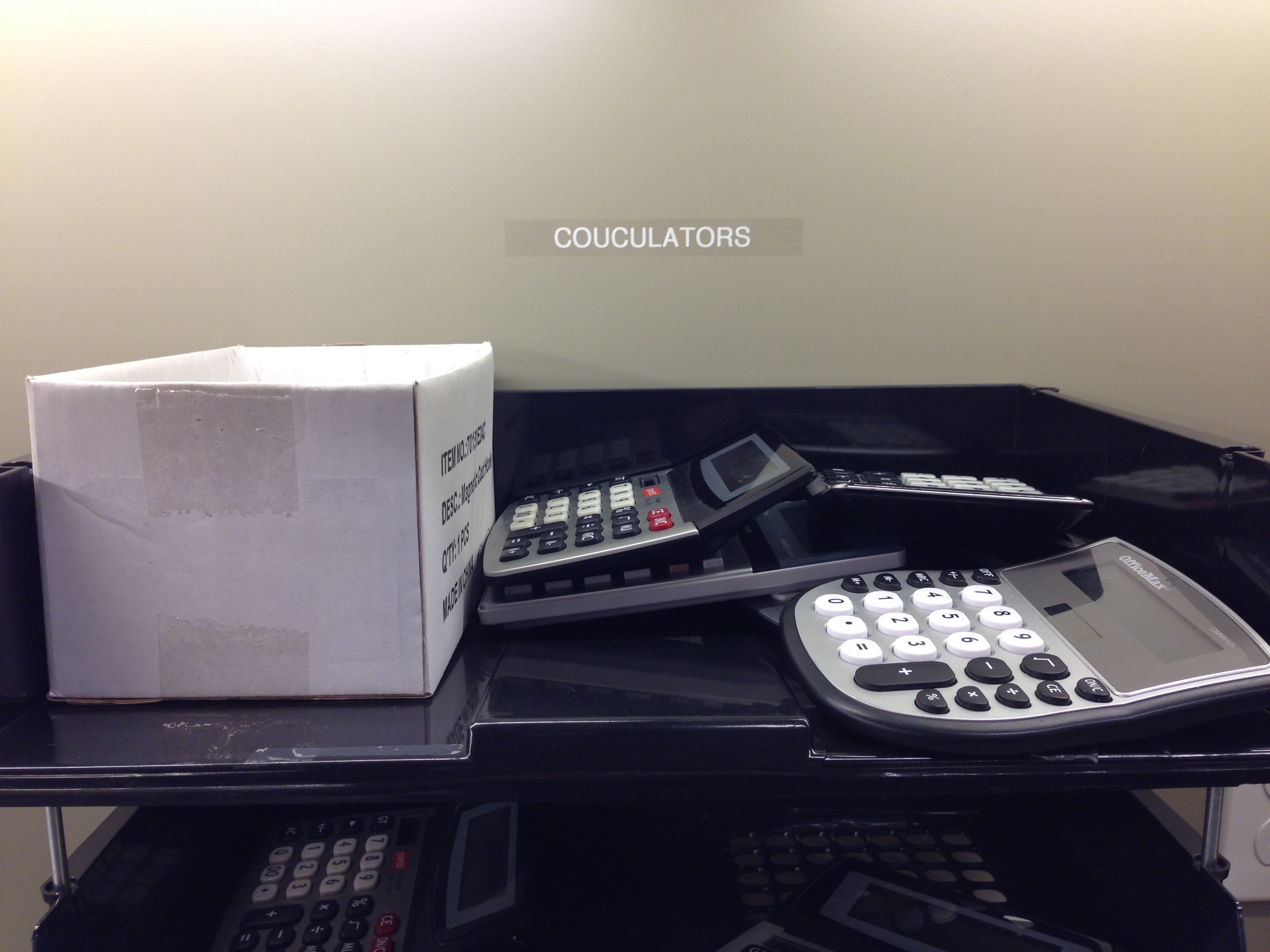
I know it’s only January 2nd, but…
 ittybittyusability